Key takeaways
- Choose Adobe apps by the work you deliver: Photoshop for photos, Illustrator for logos, InDesign for print, Premiere Pro for video.
- Creative Cloud Libraries, templates and actions automate repetitive design tasks and keep brands consistent.
- Adobe Express and Firefly help teams produce quick social content, but final brand work still needs a trained designer.
- Pick the right plan—single app, All Apps or Teams—and keep licences in the business name.
In this guide
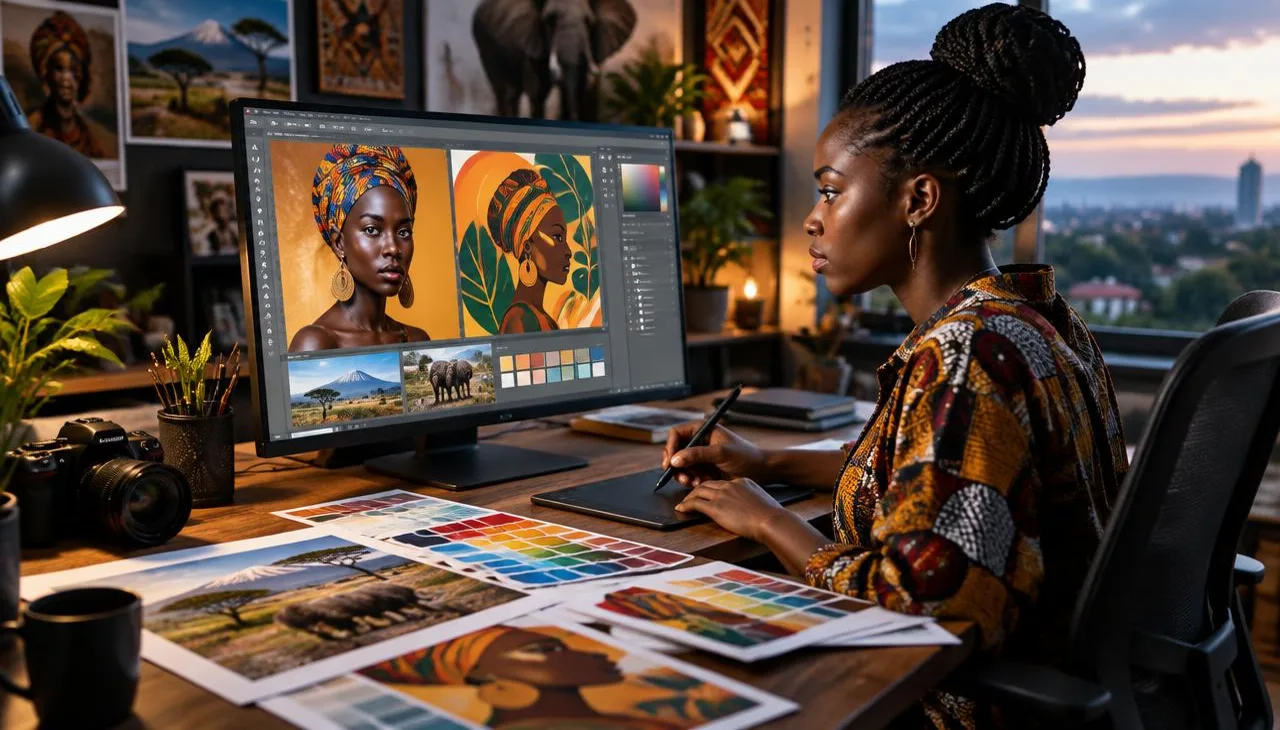
Adobe Creative Cloud is the industry standard for designers, photographers, video editors and marketing teams. But with more than twenty apps, many creatives pay for tools they never open—or miss features that could halve their production time.
This guide explains which Adobe apps suit which jobs, how to automate repetitive design work and how to choose the right plan.
The core Adobe apps and what they do
- Photoshop: photo editing, retouching, compositing and social media graphics.
- Illustrator: logos, icons, illustrations and any artwork that must scale without losing quality.
- InDesign: brochures, company profiles, magazines, reports and multi-page print documents.
- Premiere Pro: video editing for adverts, YouTube, events and corporate films.
- After Effects: motion graphics, animated logos and visual effects.
- Lightroom: organising and editing large batches of photos consistently.
- Adobe Express: quick templates for social posts, flyers and short videos.
- Acrobat Pro: creating, editing, signing and securing PDF documents.
Which apps does each creative need?
Graphic and brand designers
Illustrator for logos and brand marks, Photoshop for imagery and InDesign for brand guidelines and print. See what to expect from graphic design services.
Photographers
Lightroom for culling and colour grading, Photoshop for detailed retouching.
Video creators
Premiere Pro for editing, After Effects for motion graphics and Audition for clean audio.
Marketing teams
Adobe Express for fast campaign assets, with designers supplying master templates from Photoshop or Illustrator.
Automation features that save hours
- Photoshop actions and batch processing: resize, watermark and export hundreds of images in one click.
- Lightroom presets: apply the same look to an entire photo shoot.
- InDesign data merge: generate certificates, name tags, price lists or catalogues from a spreadsheet.
- Creative Cloud Libraries: share logos, colours, fonts and graphics across apps and team members.
- Templates: build reusable layouts for social posts, proposals and adverts.
- Generative AI (Firefly): extend backgrounds, remove objects and create variations quickly—always review results and check usage rights.
- Premiere Pro auto-captions and scene detection: speed up video editing.
Choosing a plan
Adobe offers single-app plans, the All Apps plan, student and teacher pricing, and Creative Cloud for Teams. Teams plans let the business own licences, reassign them when staff change and share assets centrally. Prices and offers change, so check Adobe’s website for current rates in your billing currency.
Hardware tips
Adobe apps run best with at least 16GB of RAM, a fast SSD and a colour-accurate monitor. Video work benefits from a dedicated graphics card. Keep files backed up to the cloud and an external drive.
Professional practice
- Use licensed fonts and stock images to avoid copyright claims.
- Deliver logos in vector formats (AI, SVG, EPS, PDF) plus PNG versions.
- Prepare print files in CMYK with bleed; use RGB for screens.
- Keep layered master files organised and clearly named.
Conclusion
Adobe Creative Cloud is powerful when you match the right apps to your work and let automation handle the repetitive parts. Permalink Business Ltd offers graphic design and branding for businesses that need consistent, professional creative work.
Permalink Business Ltd. helps Kenyan businesses with websites, software, branding, networking and security. Request a free quote today.
Frequently asked questions
Which Adobe app should a beginner learn first?
Most beginners start with Photoshop or Adobe Express, then add Illustrator for logos and vector work and InDesign for brochures and documents.
How much does Adobe Creative Cloud cost in Kenya?
Adobe offers single-app, All Apps and business plans billed monthly or annually; prices change, so check the current rates on Adobe’s website.
Can Adobe tools automate design work?
Yes. Photoshop actions, batch processing, InDesign data merge, templates and shared libraries save hours on repeated tasks.
Is Adobe Express enough for a small business?
Adobe Express is good for quick social posts and flyers. For logos, brand identity and print-ready files, use Illustrator and InDesign or a professional designer.
Should a business buy Creative Cloud for Teams?
Teams plans let the business own and reassign licences, share assets and manage billing centrally—useful when staff change.

A Nairobi IT company helping Kenyan businesses grow with websites, software, marketing, networking and security. Our guides are written from real client projects.